
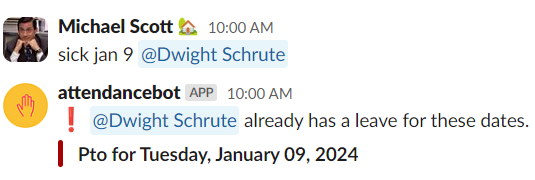
In general, you will not be able to edit an existing leave. Instead you will need to
- delete the existing leave and
- resubmit a fresh leave request to make a change.
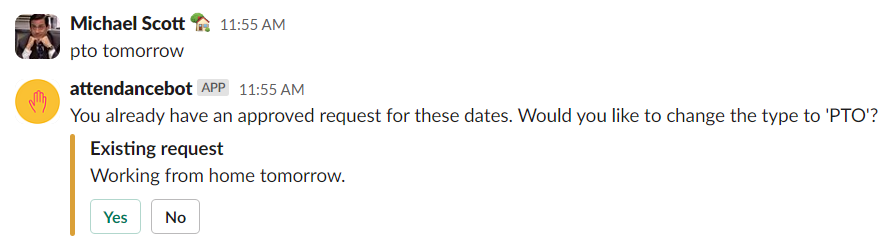
The exception to this case is when the existing leave is an “available” type like wfh, wfo, remote work, and other work statuses. In this case, any new leave requested will prompt the user to override the existing request with the new request, skipping the cancellation step entirely.
Common question
- “Why can’t I adjust the amount of sick time?”
Leave types like sick leave, paid leave, or vacation leave cannot be edited once submitted.
To make any changes (such as adjusting the number of days or hours), you’ll need to delete the original request and submit a new one.
A final note: If you want to delete a past leave that has already elapsed, you will need to be a manager or admin (or ask your manager). Here is the manager guide to deleting past approved leaves.