
Subscribing to AttendanceBot is quick and easy. Follow the steps below to get started with a paid plan.
You can purchase the plan in either of these ways:
- Type subscribe directly in the AttendanceBot app by typing "Subscribe" as a direct message to the app
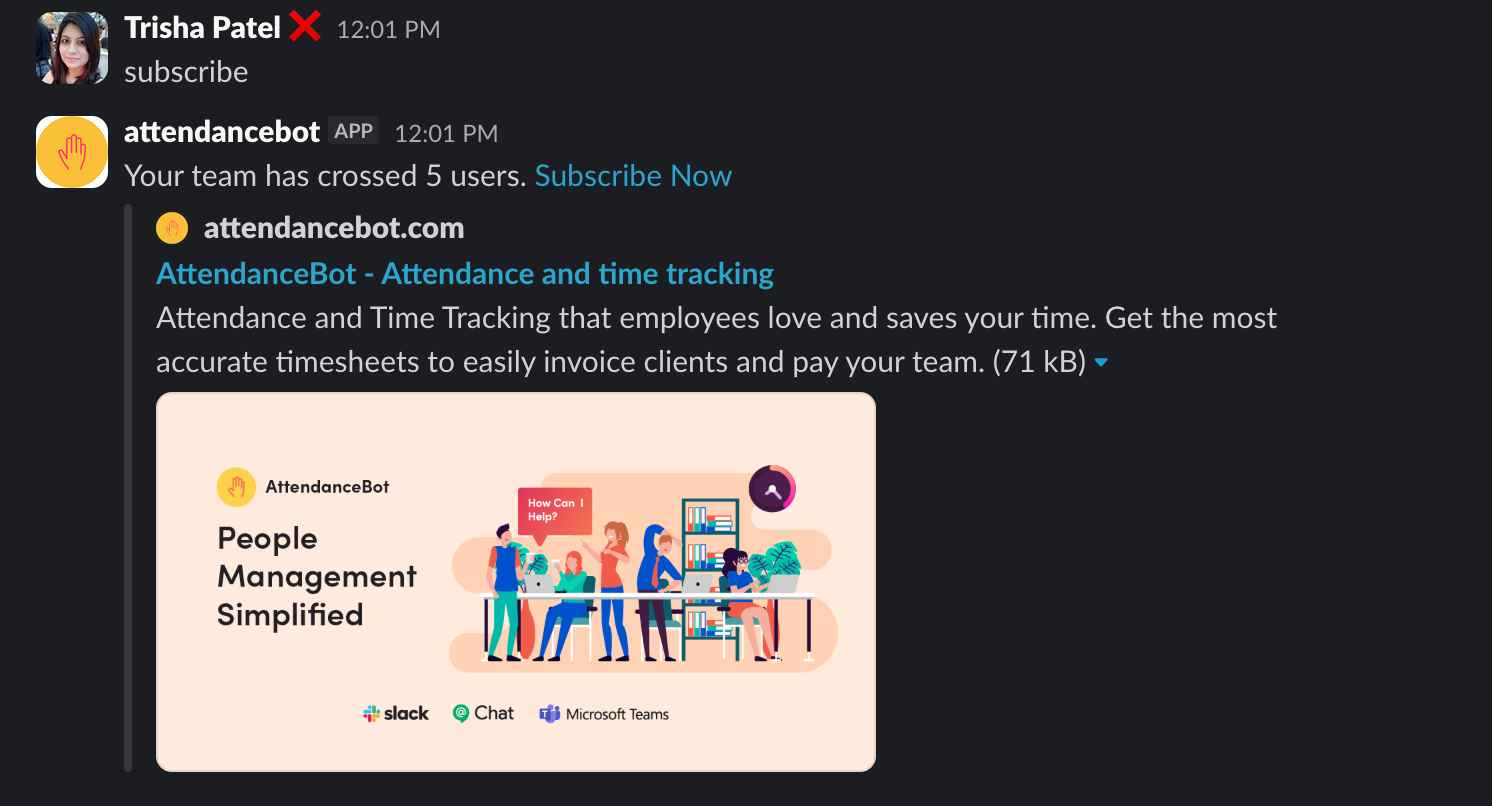
OR
- Open the dashboard and click on View Plans
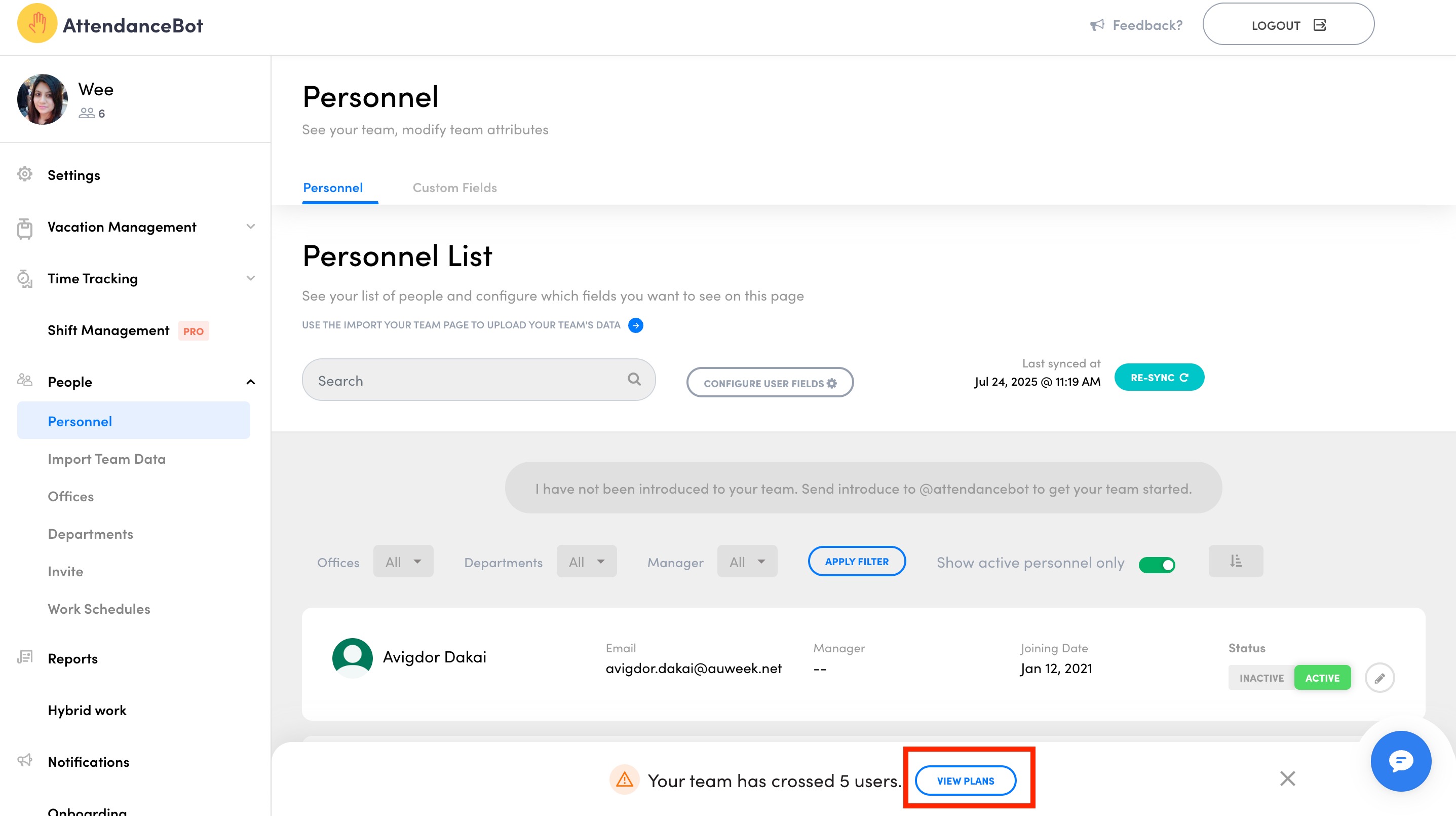
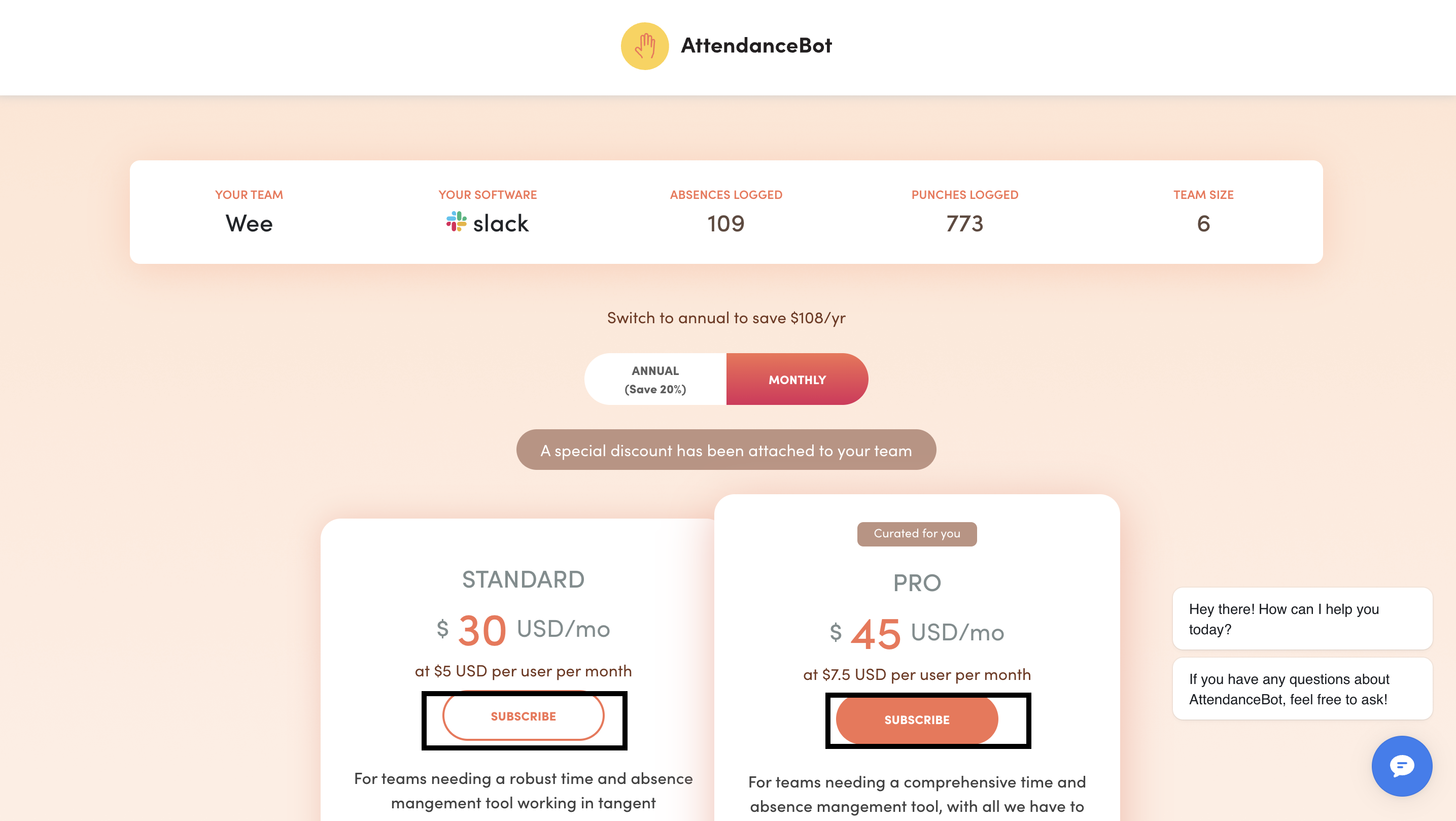
You'll be redirected to the pricing page:
- Review the available plans with features. Here's an article with complete breakdown: AttendanceBot Plans and Features
- Click Subscribe under the plan you’d like to purchase
- Add your credit card details
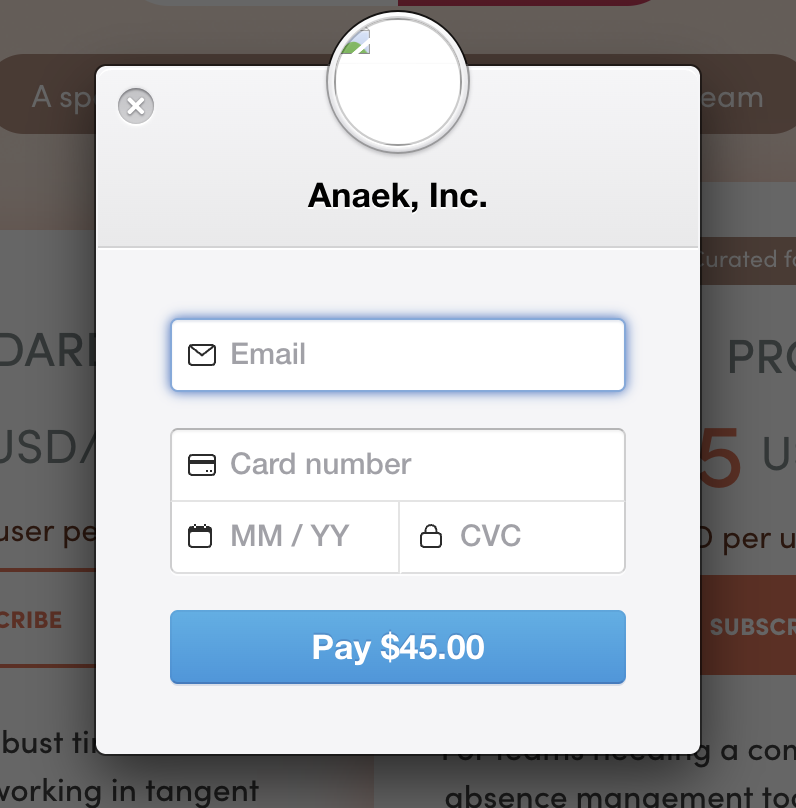
Complete the payment and you’re all set ?
Annual plan discount
If you choose an annual subscription, you save 33% compared to monthly billing.
View Plans & Features
To compare plans and see what’s included in each one, please refer to this article: AttendanceBot Plans and Features
Payment Methods
We currently support credit card payments for subscriptions.
If you need to update or change your credit card later, you can do that anytime. Please refer to this article: How do I change my credit card details?
If you wish to add your company details, please reach out to our support team by emailing us at support@attendancebot.freshdesk.com or type "Dialm" as a direct message to the app and raise a ticket.
Discounts for Non-Profit Organizations
If you’re a non-profit organization, we do offer special discounts.
Please check this article for details: Billing - can I get a discount as a non-profit organization using AttendanceBot?
Need Help?
If you have questions about pricing, billing, or choosing the right plan, feel free to contact us at support@attendancebot.freshdesk.com or type "Dialm" as a direct message to the app and raise a ticket.