
You can punch in and out with just one command in AttendanceBot
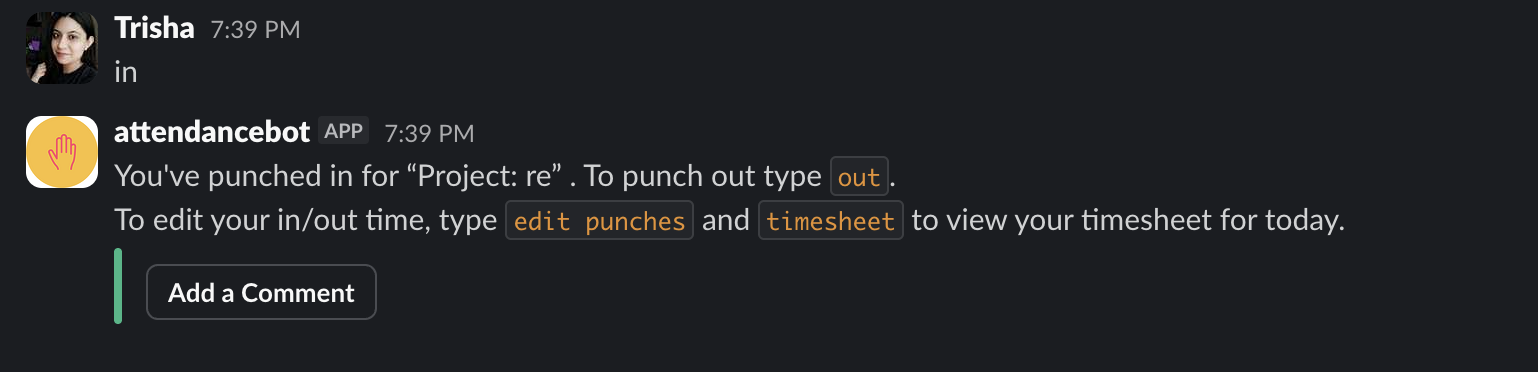
1. When you are starting with your work, simply clock-in by typing the command "in" into the AttendanceBot
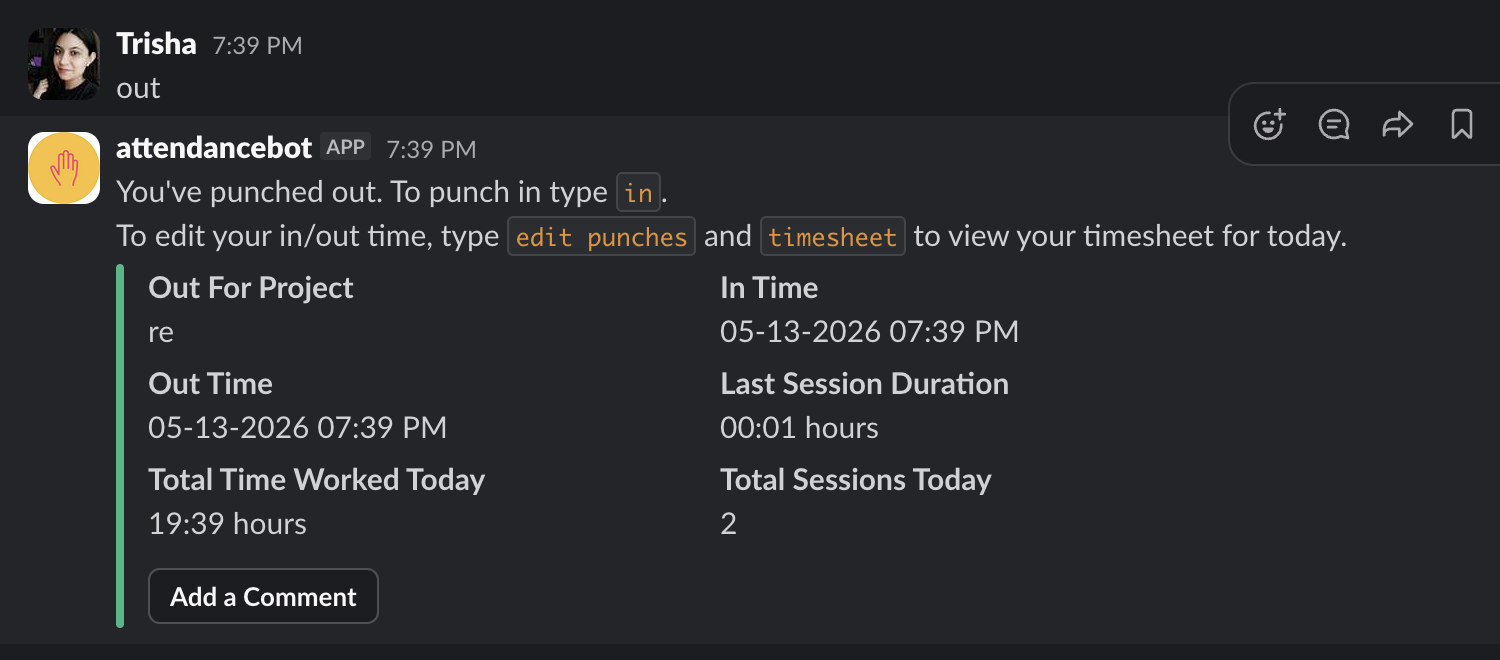
2. To clock-out, simply type in the command "Out" into the AttendanceBot
Note:
If you wish to punch in for specific project or client, please follow this article